theprinter.help Start a chat

Printer trouble, sorted by phone & chat

Your printer's acting up. Let's fix it without a house call.

theprinter.help is an independent troubleshooting service — we walk you through setup, wireless, driver, and print-quality problems over the phone or in chat. No technician visit, no software installs, no remote access to your computer.

9+ yrs helping people get their printers working again

Service request

#TP-000000

We'll respond in chat. We never ask for remote access to your device.

#TP-000000

Request logged. Keep this tab open — a technician will continue the conversation here shortly.

What we help with

The problems people actually write in about

Talked through step by step, over phone or chat, at your own pace.

Setup & installation

Getting a new printer connected, drivers installed, and ready to print for the first time.

Wireless & network issues

Printer won't join Wi-Fi, keeps dropping connection, or won't show up on other devices.

"Offline" or "not responding" errors

The most common message we hear — usually fixable in one call.

Driver problems

Missing, outdated, or conflicting drivers on Windows, Mac, or Linux.

Print quality

Streaks, faded pages, wrong colors, or blank sheets coming out.

Paper jams & hardware quirks

Walking through what to check by hand before you call a repair shop.

How it works

Three steps, no house call

01

Tell us what's wrong

Fill in the service request with your printer model and what's happening.

02

Talk it through

A technician continues by phone or chat and walks you through the fix step by step.

03

Confirm it's fixed

You check the printer works before we close out the ticket. Nothing installed, no access left behind.

9+
years fixing printer problems
Phone/Chat
only — never remote screen access
Independent
not affiliated with any printer manufacturer

Get help

Start with the ticket, we'll take it from there

Fill in the service request above with your printer model and the issue you're seeing. We reply in chat and take it from there over phone or chat — whichever's easier for you.

We don't offer remote access to your computer, and we won't ask for passwords or payment before discussing your issue with you first.

Before you write in

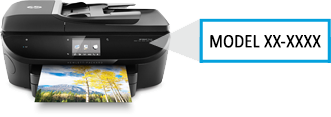
  • — Have your printer's make and model ready (usually on a label on the device).
  • — Note any error message exactly as it appears.
  • — Know whether you're on Windows, Mac, or another system.

FAQ

Good to know before you write in

Are you affiliated with HP, Canon, Epson, or other printer makers?+
No. theprinter.help is an independent troubleshooting service. We're not affiliated with, authorized by, or connected to any printer manufacturer. Brand and model names are only used to identify your device.
Will someone need remote access to my computer?+
No. We work with you over phone or chat and describe each step for you to do yourself. We never ask to remote into your device.
How long has theprinter.help been doing this?+
Over 9 years of helping people troubleshoot printer setup, connectivity, and print-quality problems.
What if the issue turns out to be a hardware fault?+
If it looks like a hardware failure rather than something fixable over phone or chat, we'll tell you plainly and point you toward a repair option — we won't keep you on a call for something we can't actually solve remotely.
Which operating systems do you support?+
Windows, macOS, and most Linux distributions, plus mobile printing from Android and iOS.